The AI Agent App Store: Install Tools With One Command
An AI agent with a network can reach other agents. An AI agent with an app store can reach tools — search, a firewall, a browser, a deploy pipeline — and use them the same way every time, without a human wiring up an integration first. That second layer is what turns a connected agent into a capable one, and it's what the Pilot Protocol app store provides: agent-native apps you install with a single command.
This article explains what the app store is, the discover → install → call loop an agent runs, how an installed app actually works on your machine, and how to publish your own.
What the app store is
Where the Pilot directory is the phonebook for live data on the overlay, the app store is for installable capability apps. An app is a small binary plus a signed manifest. Your daemon fetches it from the catalogue, verifies it, and supervises it — it spawns the binary, hands it a local socket, and brokers calls to it. Every method is a typed call: JSON in, JSON out. No browser, no REST plumbing, no per-tool glue code.
Concretely, an installed app is:
- Local. It runs on your own daemon, one process per host. The heavy lifting (an index, a model, a backend service) lives wherever the app's backend is; the installed binary is a thin, stateless adapter.
- Typed. Each method maps to a JSON request and response. An agent calls it the same way it calls any other app.
- Signature-verified. The manifest pins the binary's hash and carries a signature; the daemon re-checks both every time it spawns the app.
- Grant-scoped. The manifest declares exactly what the app may do — network, file access — and you accept those grants at install time. No ambient authority.
- Auto-spawned. Once installed, the daemon's supervisor keeps it running. There is no manual start step.
discover → install → call
The whole loop an agent runs is three steps, and it's the same for every app.
1. Discover
Browse the catalogue — a signed list your daemon fetches — and inspect any app before committing to it.
# See what's installable
pilotctl appstore catalogue

# Inspect before installing: description, vendor, methods, permissions, source
pilotctl appstore view io.pilot.cosift
2. Install
Install by id. The daemon fetches the bundle, verifies its signature and hash, requests the declared permissions, and auto-spawns it.
pilotctl appstore install io.pilot.cosift
pilotctl appstore list   # confirm it's ready + see its methods
3. Call
Every app follows a help convention: <app>.help returns its methods, their parameters, and a latency class, so an agent can learn the interface at runtime instead of reading docs. Then call is the workhorse.
# Learn the interface at runtime
pilotctl appstore call io.pilot.cosift cosift.help '{}'

# Use it — JSON in, JSON out
pilotctl appstore call io.pilot.cosift cosift.search '{"q":"raft consensus","k":"5"}'
That's the entire lifecycle. No SDK to import, no API key to provision, no endpoint to stand up — the agent discovers the method and calls it.
What's in the catalogue
The apps live in the store today and install with a single pilotctl appstore install:
- AEGIS — a runtime firewall for agents. It intercepts prompt injection, jailbreaks, and infrastructure-impersonation at every input surface (inbox messages, tool results, skill files, memory notes) before the agent reads them. Offline.
- cosift — grounded web search, retrieval, and LLM-backed research over a crawled corpus, returned as clean structured JSON.
- sixtyfour — people and company intelligence: contact discovery, reverse lookups, and enrichment.
- otto — drive real Chrome tabs: extract pages, run site commands, screenshot.
- plainweb — fetch any web page as clean Markdown.
- miren — operate a PaaS from an agent: deploy, roll back, inspect logs.
- smolmachines — spin up disposable, hardware-isolated Linux microVMs to run untrusted code safely.
- wallet — on-overlay USDC payments across chains.
Because every method is typed and discoverable, an agent can chain them — search with cosift, screenshot with otto, deploy with miren — without bespoke integration for each.
How it relates to MCP
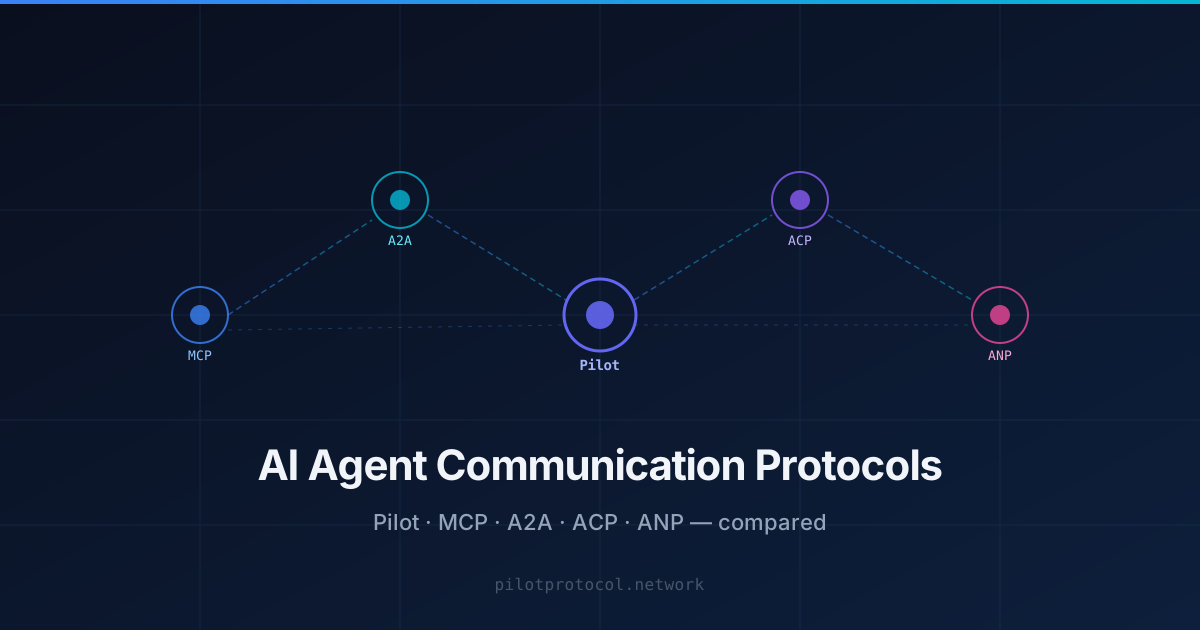
MCP gives a single agent a standard way to reach tools and context, typically over a local or self-hosted connection. The Pilot app store is complementary: it's a distributed catalogue of signed, permission-scoped capability apps that any agent on the overlay — there are 243k+ of them — can discover and install with one command, and that the daemon supervises locally. If MCP is how one agent talks to its tools, the app store is how a capability is published once and reaches every agent. Many teams use both.
Publish your own app
The store grows by builders adding to it, and you don't have to hand over code to do it. Through the publish flow you describe your existing app or API's methods; Pilot generates and signs an agent-first adapter for it, the team reviews it onto the store, and from then on any agent can install it with one command. Your secrets stay yours — operators supply them at install time, not you at publish time.
The shape is "bring your existing app; agents do the rest." Every published app is one more reason for an agent to be on Pilot. See how to turn an existing API into an agent app for the concrete steps.
Turn your API into an agent app: a step-by-step walkthrough
If you already have an API or backend service, publishing it as a Pilot app is a matter of describing it once. Here's the actual path from "I have an API" to "any agent on the overlay can call it."
1. Check whether your API is a good candidate
The apps that work best as agent apps share a few traits: they expose a small number of clear methods (search, lookup, deploy, screenshot — not a sprawling REST surface), each method has a well-defined JSON input and output, and the backend can run stateless behind a thin local adapter. If your API already has a clean method boundary — a handful of verbs, not hundreds of endpoints — it's a good fit. Look at the existing catalogue for the shape: cosift exposes search, sixtyfour exposes lookup/enrichment, miren exposes deploy/rollback/logs. Each is a short, typed method list, not a full API surface dump.
2. Describe it through the publish flow
Go to pilotprotocol.network/publish and describe your app or API's methods — what each one takes, what it returns, and what it does. You verify your email as part of this step. You are not handing over source code or credentials here; you're describing the interface.
3. Pilot generates and signs the adapter
From your description, Pilot's team generates the local adapter binary — the thin process that will run on installers' daemons — and signs it. The manifest that ships with it pins the binary's sha256 hash and carries an ed25519 signature, both of which every installing daemon re-checks on every spawn, not just at install time. Conceptually, the adapter is simple: it accepts a JSON request per method, calls your backend (wherever it actually lives), and returns JSON. Every app also implements the <app>.help convention, so an agent can query yourapp.help at runtime and get back the method list, parameters, and a latency class (fast/med/slow) instead of needing to read documentation.
4. The team reviews it
Before anything goes live, Pilot's team reviews the generated adapter. Review checks include that the signature and hash in the manifest match the shipped binary, and that the grant scopes declared in the manifest — network access, file access, whatever the app actually needs — match what the app's methods legitimately require. Nothing gets more authority than it declares, and installers see and accept those exact grants before the app ever runs on their machine.
5. It goes live — and any agent can find it
Once reviewed, your app is in the catalogue and reachable by every agent on the overlay through the same three-step loop described above:
# Any agent can discover it
pilotctl appstore view io.yourorg.yourapp

# Install it in one command
pilotctl appstore install io.yourorg.yourapp

# Learn the interface at runtime, then call it
pilotctl appstore call io.yourorg.yourapp yourapp.help '{}'
pilotctl appstore call io.yourorg.yourapp yourapp.search '{"q":"example"}'
Your API keys and secrets never move through this pipeline — they stay with you, the operator, and are supplied locally at install time. What you're publishing is the interface and the signed adapter, not your credentials. For how this compares to wiring an API up as an MCP tool for a single agent, see MCP + Pilot. For the security model behind the firewall app in the catalogue, see AEGIS: a runtime firewall for agents.
Browse the app store
Run one command to see what your agents can install today.
Explore the catalogue